This tutorial covers how to use the fields on the “edit category” page for each category.
The how to use categories tutorial covers best practices for categories overall.
Setting the category fields
When optimizing the category pages, there’s a number of fields that are used in different parts of the theme. You can find this in Admin > Posts > Categories, or by going to a category page while logging in and clicking “Edit Category” in the admin bar.
Here’s how we recommend using each field:
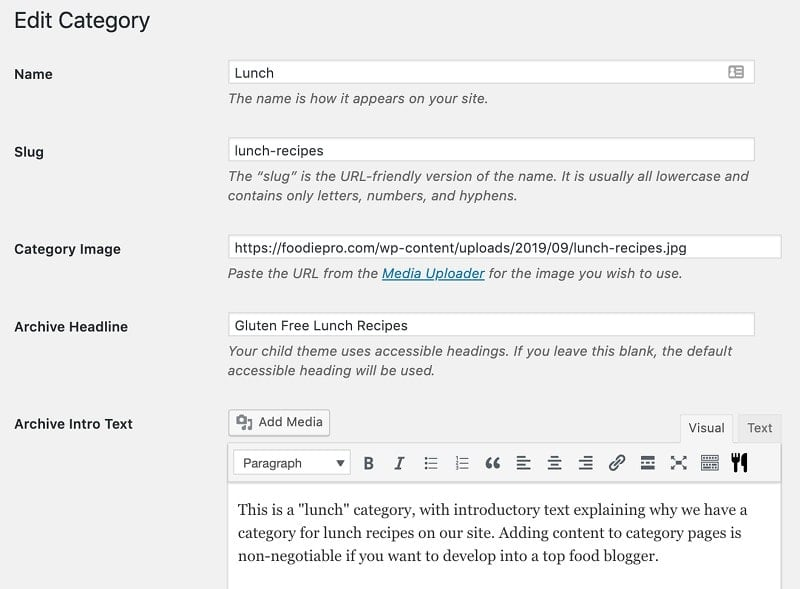
- Name – gets used to generate the breadcrumbs, as well as the Simple Category Index – keep this short and don’t use the word “Recipes” in it
- Slug – this defines the URL of the category page, and we recommend including the word “recipes” here
- eg. “breakfast-recipes”
- note: do not change the slug for existing categories, because this alters the URL and can negatively affect SEO – the word “recipe” in the URL is a very minor optimization
- Category image – this is a feature exclusive to the Feast Plugin, see: Feast Plugin Simple Category Index – the image file name for the category should be SEO-optimized
- Archive Headline – this defines the title that appears at the top of the page, and should be keyword optimized with the word “Recipes” as well as anything special that might apply – “gluten free”, “paleo”, “sugar free”
- Archive Intro Text – defines the body of text that appears before the category listing – full recommendations in Category Pages Need Content
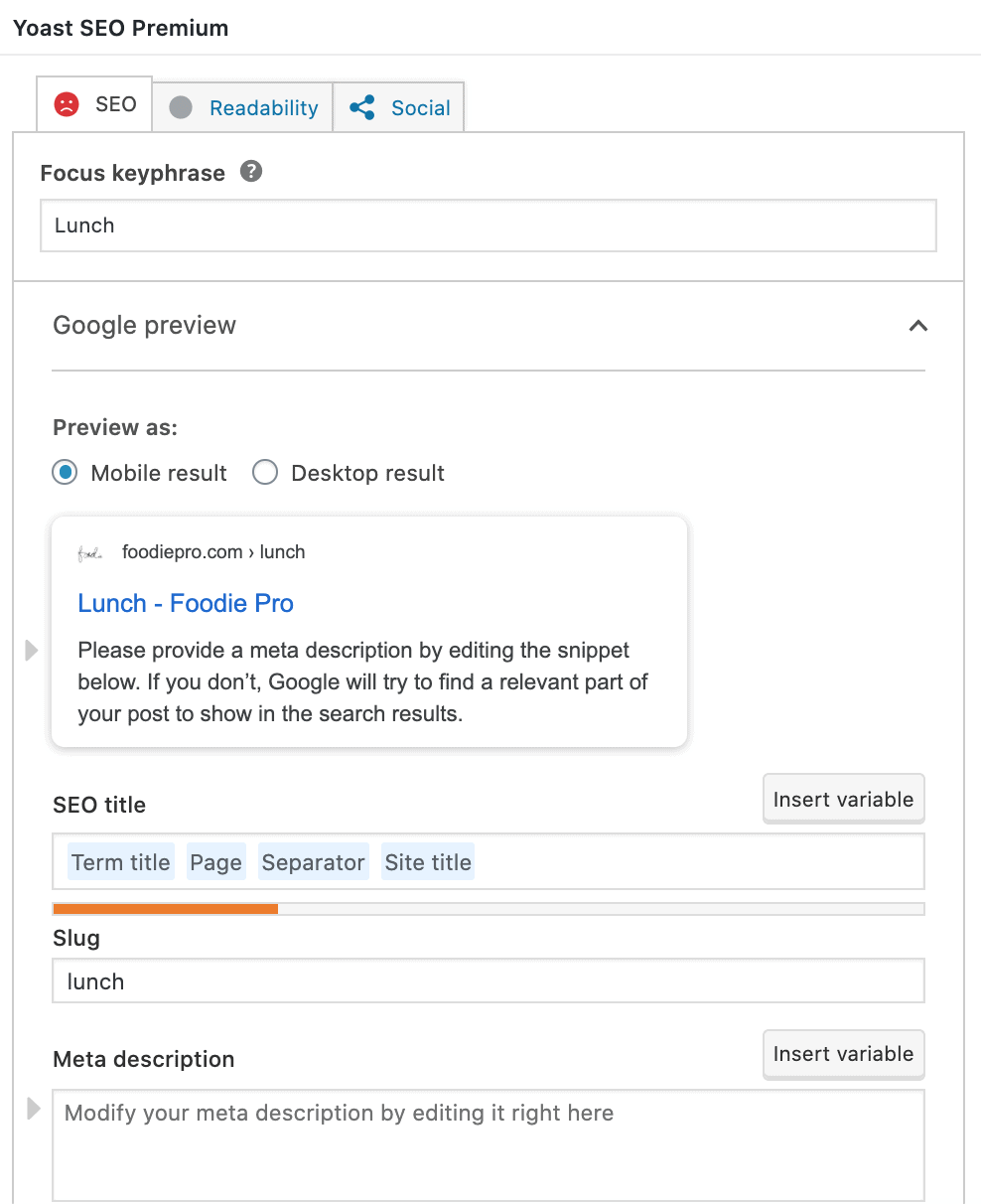
- Yoast – the Yoast box is found at the bottom of the page and enables you to define a unique meta title tag, as well as a unique meta description tag
- meta title tag should match the primary keyword(s) sending traffic to your category page, to enhance click-through-rate
- meta description tag should be a short pitch as to why the visitor should come to your site
- If this category is for organizational purposes only (a “Featured Posts” category for the sidebar) and not to get search engine traffic, make sure to noindex it in Advanced > Allow search engines to show this Category in search results? > No
Note that it’s not critical to have the slug be perfect:
The SEO effect of keywords in the URL is minimal once the content is indexed. Make URLs that work for your users, not for SEO. Also, changing URLs on an existing site is a site-migration & it will take time/fluctuations to be reprocessed, so I’d avoid that unless it’s critical.
John Mueller, Google
Yoast
Yoast provides fields to edit the META tag title and description, and filling this out with unique, high quality content will only help you.
Adding content
Your category pages are just like any other post on your website – they need content. See the following resources for more detailed information on completing your category pages:
